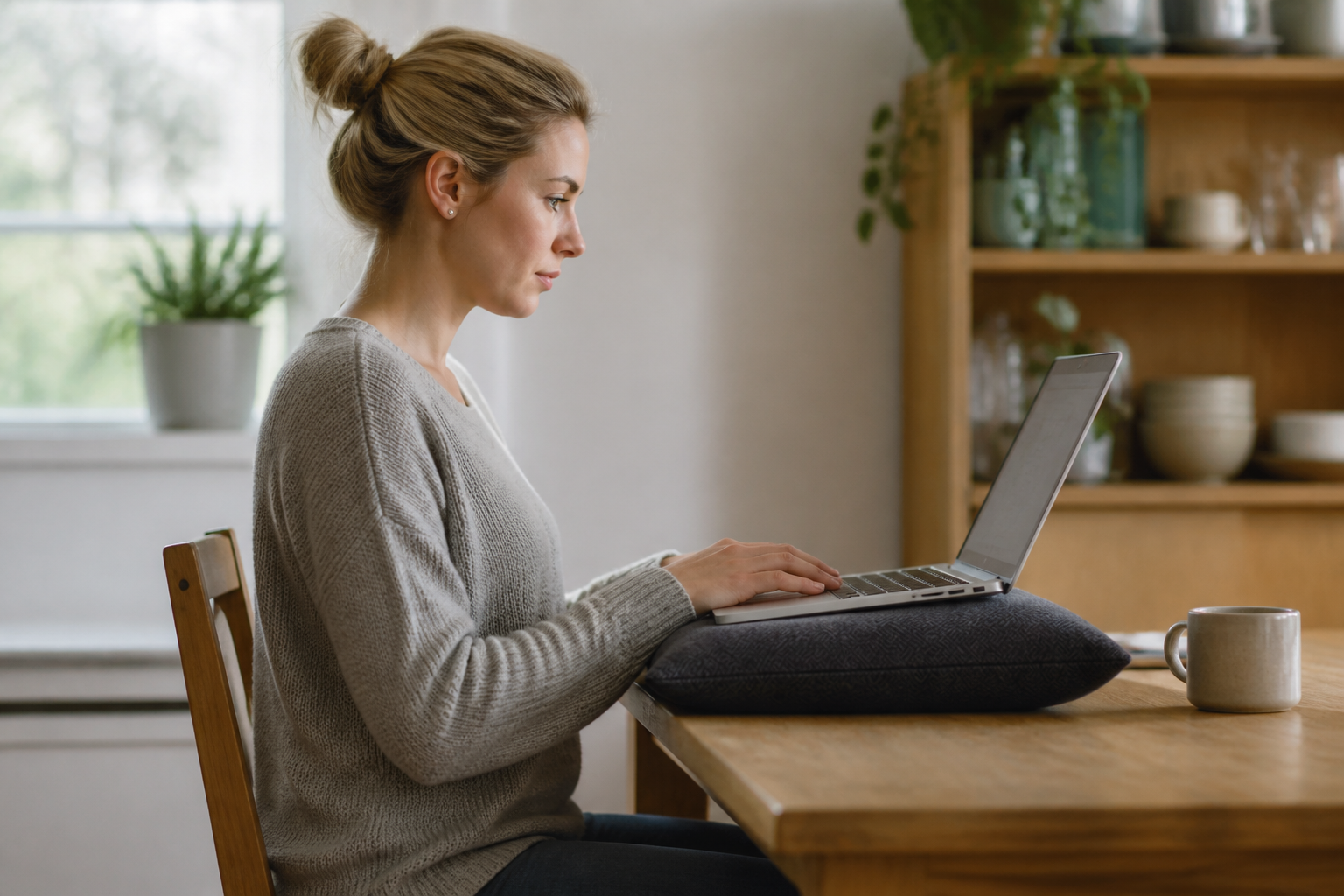
Office buildings used to enforce movement without anyone noticing. The walk from the station, the trip to a printer two floors down, the queue in the canteen, the colleague who wanted a word. Home removed all of it. A working day that once contained two thousand incidental steps now contains about forty, and the body notices long before the calendar does.
Which is why improving posture at home is much less about learning to sit correctly than about rebuilding the interruptions that a building used to provide for free. The advice below assumes a real house, a real deadline, and no appetite for a fitness regime.
The three positions of a home working day
Most home workers rotate between three, and each has a different cost.
- The proper desk, if one exists. Comfortable, sustainable, and the position people stay in longest, which is its only real drawback. Two hours without standing up is common at a desk that feels fine.
- The kitchen table. A workable height with an unworkable chair. The seat is flat, fixed and often slightly tipped back, so the pelvis rolls backwards and the lower back rounds within about twenty minutes.
- The sofa, the bed or an armchair. The laptop drops to the lap, the screen falls to its lowest possible point and the head hangs forward to meet it while the lower back has nothing behind it. This is the position that produces the neck ache people describe on a Thursday.
The realistic aim is not to eliminate the third position. It is to make the first one better, cap the third at forty minutes, and stop treating the second as permanent seating. The chair guide covers the dining chair fixes, which are a cushion, a box for the feet and a rolled towel behind the lower back.
Home did not make posture worse. It removed the hundred small interruptions that used to hide the cost of sitting still.
A ninety second reset
Something that fits between two meetings and needs no equipment, no floor space and no change of clothes. Done three or four times a day it does more than any single correction of sitting position.
- Stand up and take ten steps. Anywhere. The change from loaded sitting to loaded standing is the active ingredient.
- Doorway chest opener. Forearms on the frame, elbows at shoulder height, step gently through until a stretch is felt across the front of the chest. Thirty seconds. This is the direct opposite of the position typing puts the shoulders in.
- Chin nods. Draw the chin gently back and slightly down, as if making a small double chin. Hold five seconds, repeat five times. It wakes up the deep neck muscles that fatigue while peering at a screen.
- Standing back extension. Hands on the back of the hips, lean gently backwards, five slow repetitions. It reverses the shape sitting has held for the past hour.
- Look out of a window. Twenty seconds at something far away rests the eyes, and the eyes are why the head drifts towards the screen in the first place.
Video calls, the most expensive hour
Video calls are uniquely bad for posture because they remove the one thing that used to interrupt a meeting: the fact that people fidget when they are not on camera. Being visible produces stillness, and stillness is the problem.
Three changes make a large difference. Raise the camera to eye level, because a laptop camera on a table means either looking down at the screen for an hour or tilting the head back to look presentable. Turn the camera off when the meeting allows it, and stand up for those calls. And use audio only for anything that does not genuinely require faces, which on most calendars is a surprising proportion.
Anyone who spends four hours a day on calls should treat call posture as the main problem to solve, ahead of the desk. It is the longest continuous period of stillness in the day.
Anchoring movement to things that already happen
Reminders fail because they arrive at the worst moment and get dismissed. Attaching movement to events that already occur works better, because the event does the remembering.
- Every phone call
- Taken standing or walking. On a typical calendar this alone breaks up several hours a week.
- The kettle
- Stay standing until it has boiled rather than returning to the chair. Ninety seconds, several times a day, without any willpower.
- Between meetings
- Leave the room, even for thirty seconds. Back to back calls are the most reliable way to sit for four hours.
- Lunch
- Eaten somewhere other than the desk, ideally after a short walk outdoors. Daylight in the middle of the day also helps sleep timing.
- End of day
- A ten minute walk that replaces the commute. It marks the end of work as well as moving the body, which is worth as much.
The two ends of the day
A commute did two jobs. It moved people and it separated work from home. Losing both at once is why so many home workers describe the day as one long undifferentiated block.
A short walk before starting and after finishing restores both. It does not need to be long. Ten minutes at each end adds up to more than an hour a week of movement and, more importantly, it gives the day edges. People who do it consistently tend to report better sleep as well, which matters more for pain than most physical interventions.
The other useful boundary is physical. If the laptop can be closed and put somewhere out of sight, the temptation to sit back down at nine in the evening in a considerably worse position disappears with it.
What to expect, and when
Comfort usually improves within one to two weeks of changing the geometry and adding regular standing, because that part is about load rather than tissue. Strength and endurance changes take about six to eight weeks of consistent work, and they are what stop the ache from returning when a busy fortnight arrives.
What will not happen is a change in the shape of the body within a week. Habitual posture does shift, but slowly and mostly as a by product of moving more and being stronger, rather than as a result of concentrating on it. The posture guide sets out what the evidence supports and what it does not, including the awkward finding that measured posture and pain are only loosely related.
If the shoulders and neck are the part that complains, the screen time page deals with that pattern specifically. If the lower back is the problem, start here instead.
When it is not the working setup
Numbness or pins and needles that persist after standing up, weakness in an arm or leg, pain that regularly wakes you at night, or back pain with numbness around the back passage or genitals are not desk problems. In the UK, contact a GP or call NHS 111 without delay, and 999 if symptoms are severe or come on suddenly. What this site can and cannot do is set out on the medical disclaimer page.
Common questions
Is working from the sofa really that bad?
For an occasional forty minutes, no. As a daily arrangement it combines the lowest possible screen position with the least supported lower back, which is why it produces symptoms faster than anything else in the house.
How often should a home worker stand up?
Every twenty to thirty minutes is the usual guidance, and Health and Safety Executive advice is explicit that short frequent breaks work better than occasional long ones. Standing for a minute counts.
Does working from home cause more back pain than an office?
The furniture is generally worse and the incidental movement is much lower, so the risk factors are less favourable. Home working also removes commuting, which some people find helps a great deal. The variable that matters most is not the location but how long the body stays in one position.
Can an employer be asked to pay for equipment at home?
The display screen equipment regulations apply to employees who use screens significantly, including at home. Employers must assess workstations and address the risks found, which can include providing equipment. The details are here.
Do posture reminder apps work?
The useful ones prompt a change of position rather than enforce a shape. Their weakness is that they appear on the screen already being ignored. A timer that lives elsewhere in the room, or a habit attached to the kettle, survives longer.
Working from home removes the commute too; cycling instead of sitting to work is the version with movement built in.
The desk week needs a counterweight; rebuilding a movement habit is the gradual version.
Desk posture is only part of the picture. A working month also includes lifting children, shopping bags and laundry baskets, and these loads ask as much of the back as any chair does. Sleep matters too: a broken night leaves the muscles tired and less able to hold a comfortable position the next day. The small habits that help are unglamorous, such as moving often, keeping loads close to the body and resting when the ache builds. For a plain account of how these everyday demands add up, see carrying and the back.